
Product and Brand Search that Drives Conversion
Leverage our unique blend of traffic and diversify your search efforts with the largest source of intent based ad formats that drive measurable outcomes for you and your brand.
GET STARTED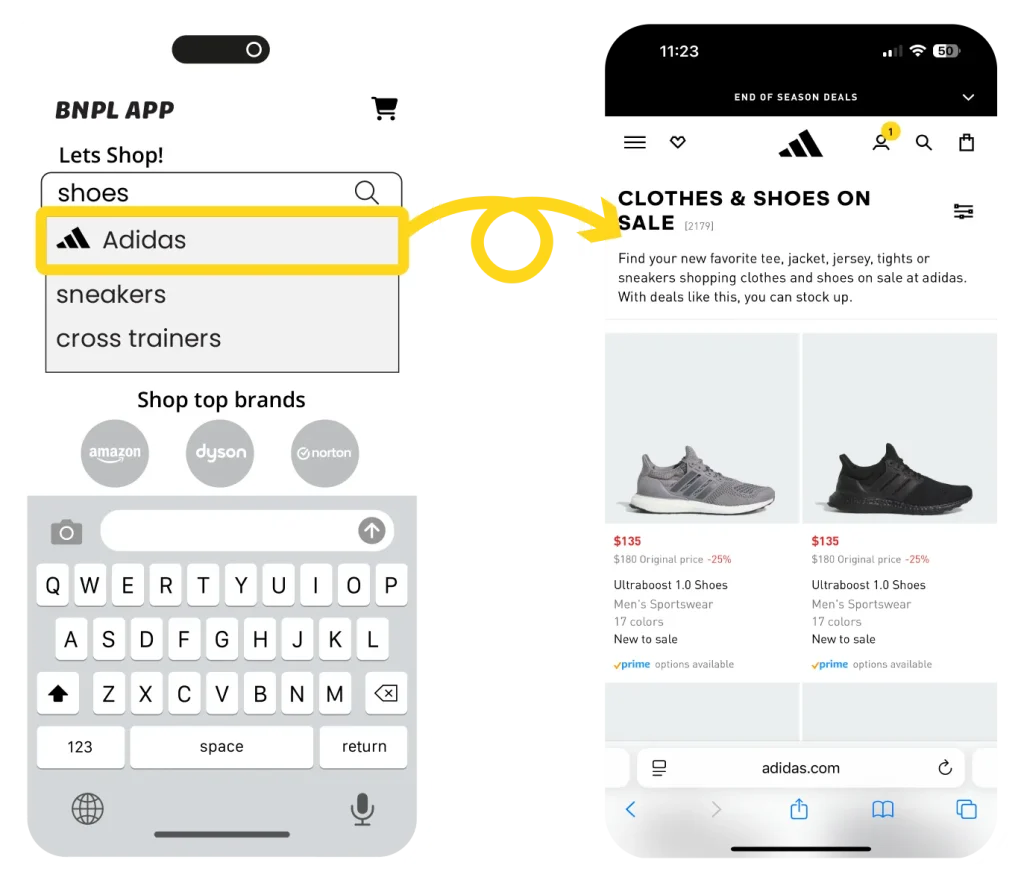
Some Brands We Work With


Diversified Search That Drives Incremental Sales

Premium Publishers,
Premium placements.
Harness our relationships with premium publishers such as; Yahoo, MSN, Weather.com, Affirm & Afterpay.

Diversify your
Search Efforts
Leverage our high converting product and brand search alternatives to drive measurable outcomes for you and your brand.

Incremental
Reach.
Tap into audiences outside your traditional search efforts, diversify your marketing mix and convert our high intent users.

6.35% CVR
$690K+ Sales

8.07% CVR
$433K+ Sales

5.53% CVR
$79K+ Sales

5.44% CVR
$110K+ Sales
Product & Brand Search
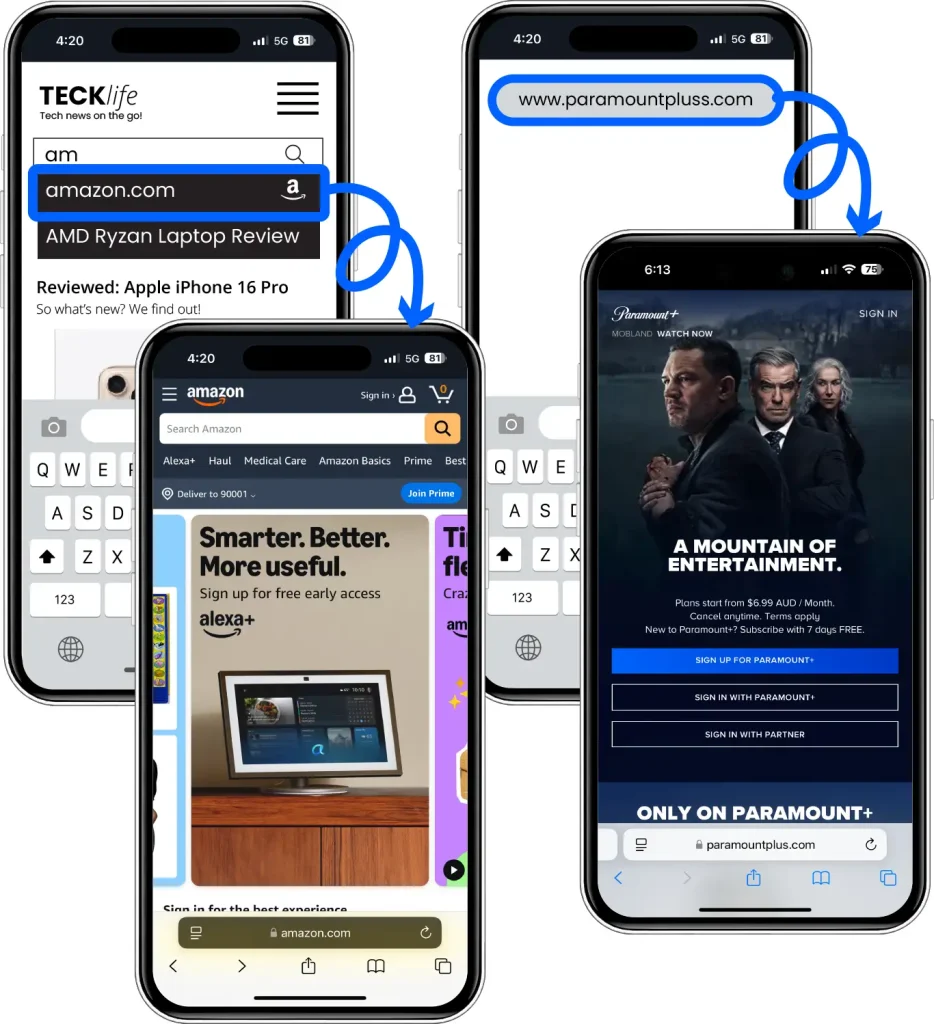
Browser Search
Any search that occurs within a browser, a user may search for brand or specific product or may even misspell the brands domain, in each case the user is directed to the brand or product page.
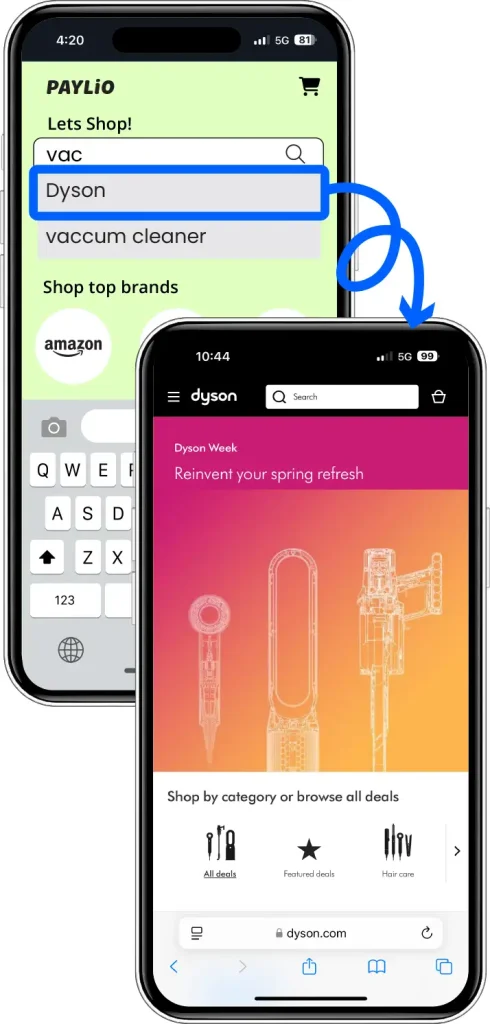
BNPL
The user is presented with your brand name, logo or link to a specific product when searching or browsing on mobile, tablet or desktop.
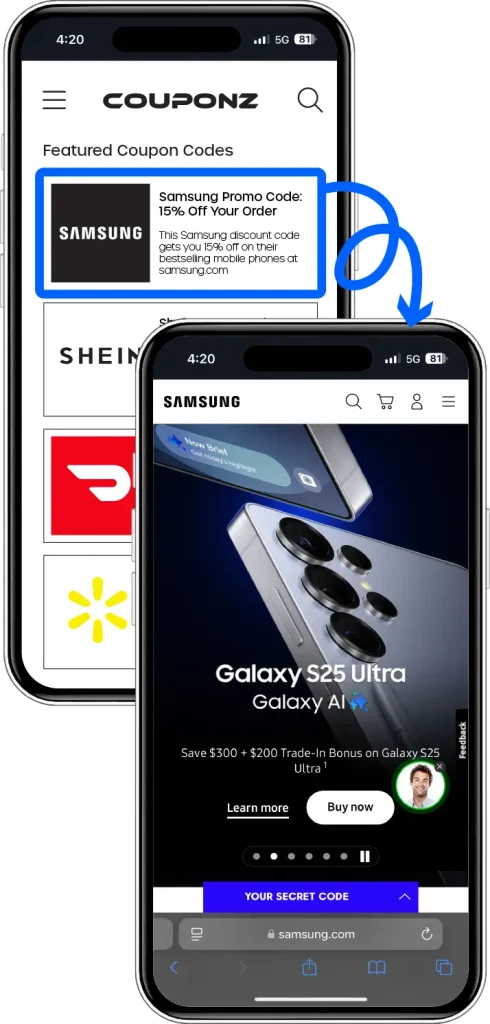
Coupon
Present your brand to users who are actively engaged with your brand on various coupon sites.
For more information, contact one of our representatives.
Content & Contextual
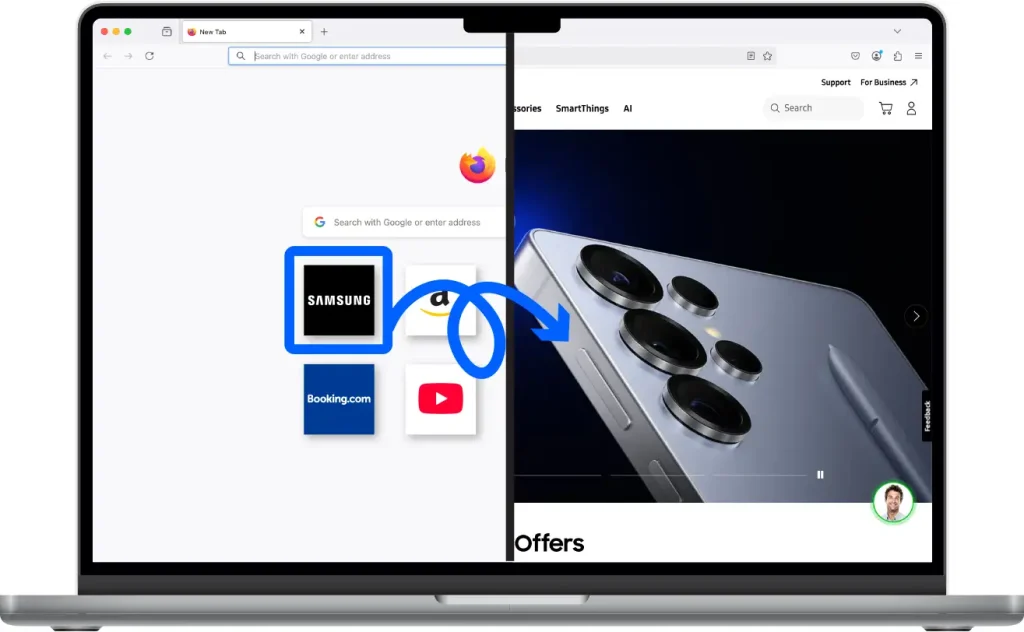
Tiles
Users are presented with a promoted “Tile” or icon directly under the search bar on various browsers and apps.
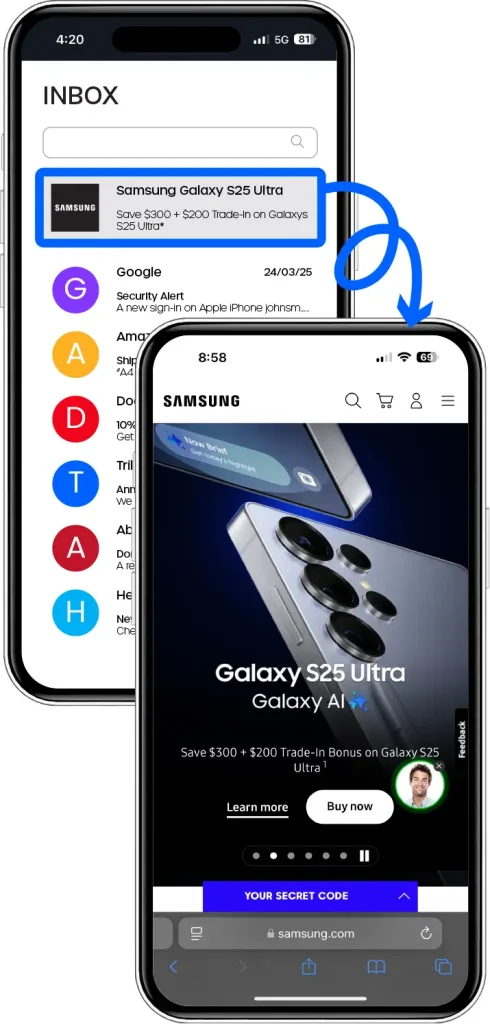
Users are presented with a sponsored ad for your brand, presented in the top email slot within the users email client.
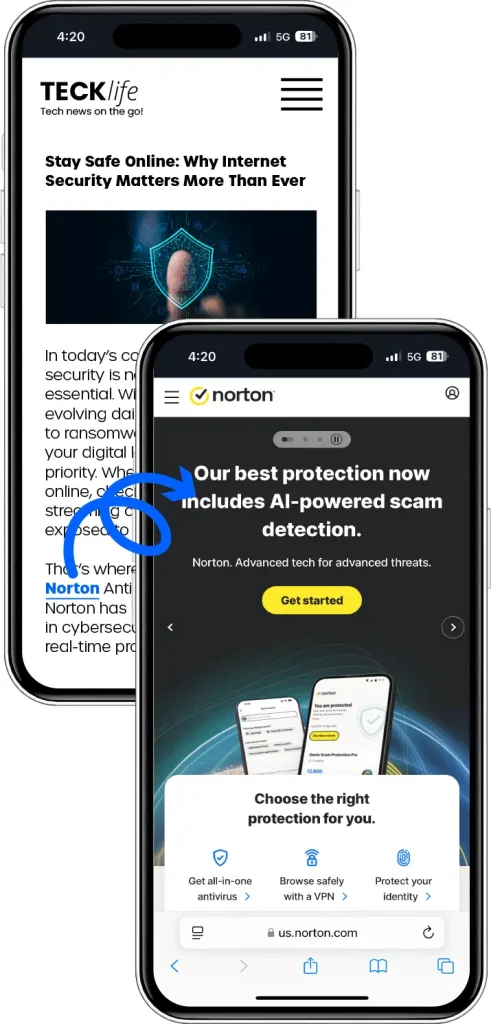
Content Links
Redirect users to your brand when they click on a branded or generic in-text link.
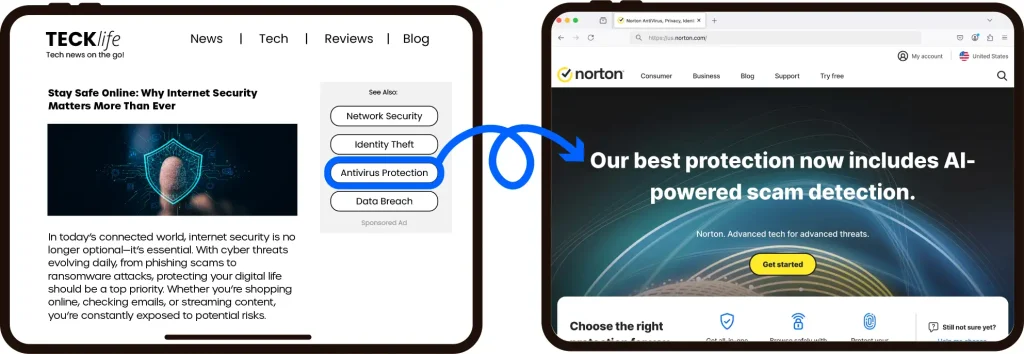
Contextual Ad Block
Redirect the user to your site when they click on a keyword that is relevant to the article they are reading that is also relevant to your brand.

Incremental Reach
220M+
users per month.

Incremental Sales
$772M+
per month*

Transparent & Brand Safe
Transparency has been at our core since 1997. We provide all key parameters for each user and we leverage the latest technology to ensure our traffic is brand safe.
Some of our Publishing Partners


For more information, contact one of our representatives.